
Admin panel
set up everything.
A guide to each screen, in the order of the sidebar, with what to set on day one. Screenshots come from the demo workspace, so the numbers in them are sample data.
01Roles and sessions
| Role | Can do |
|---|---|
superAdmin | Everything, including inviting and removing admins. |
editor | Edit configuration, send notifications, grant or revoke PRO. Cannot manage admins. |
viewer | Read only. The panel shows a READ ONLY badge. |
Roles are enforced on the server too (rules and functions), not only in the interface. Sessions end after 30 minutes without activity and after 12 hours in any case.
Day-one order
- Security: authenticator on.
- Branding: name, colour, links.
- Monetization: fee wallet, fee, PRO price.
- Chains and Tokens.
- System Config: support email, terms, privacy.
- Publish Config: snapshot, then publish.
02Overview, Revenue, Users
Overview — the last 30 days at a glance: users, PRO subscribers, fee revenue, swaps, app status, fee charts by DEX and chain, system health, and Config Status, which checks that your config.json answers.
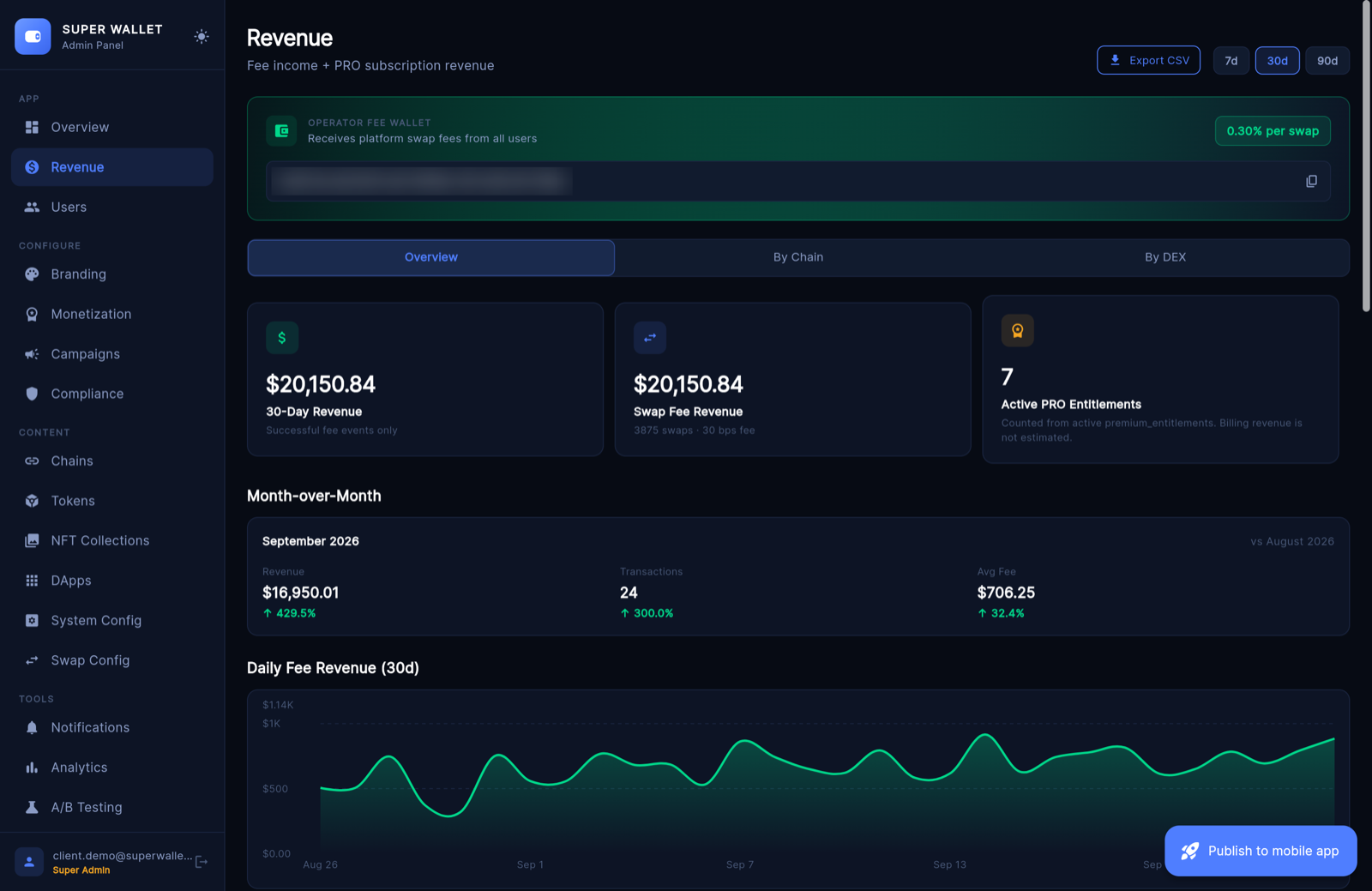
Revenue — swap-fee income from successful fee_events, by chain and by DEX, month over month, with CSV export and the fee-wallet card. Store and Stripe income is not estimated here; check App Store Connect, Play Console and Stripe.
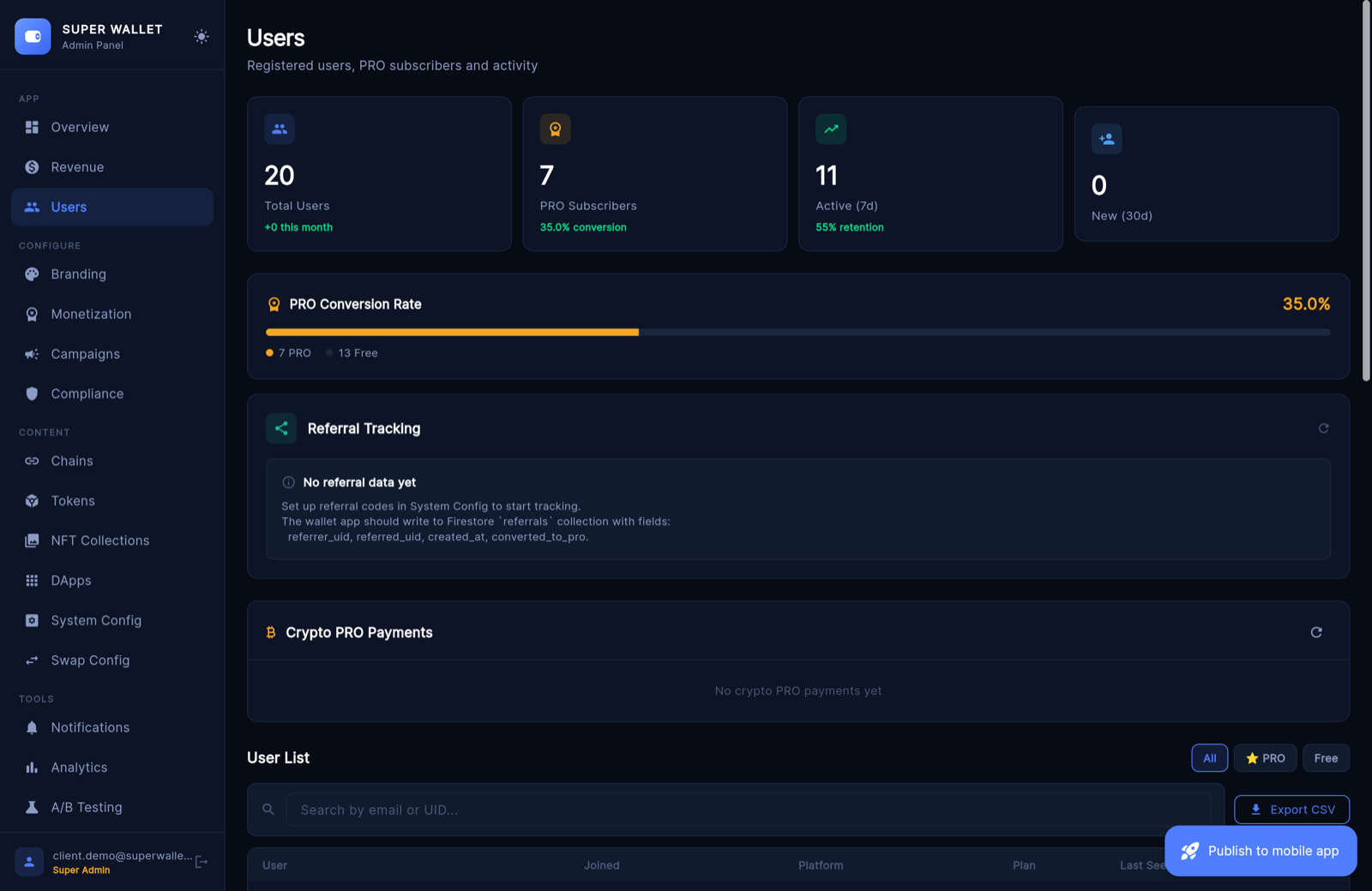
Users — everyone registered, with plan, platform and dates. Per user: Grant PRO, Revoke PRO, Start 24h Trial, copy UID. Below: referral tracking and Crypto PRO Payments to approve or reject.
03Branding
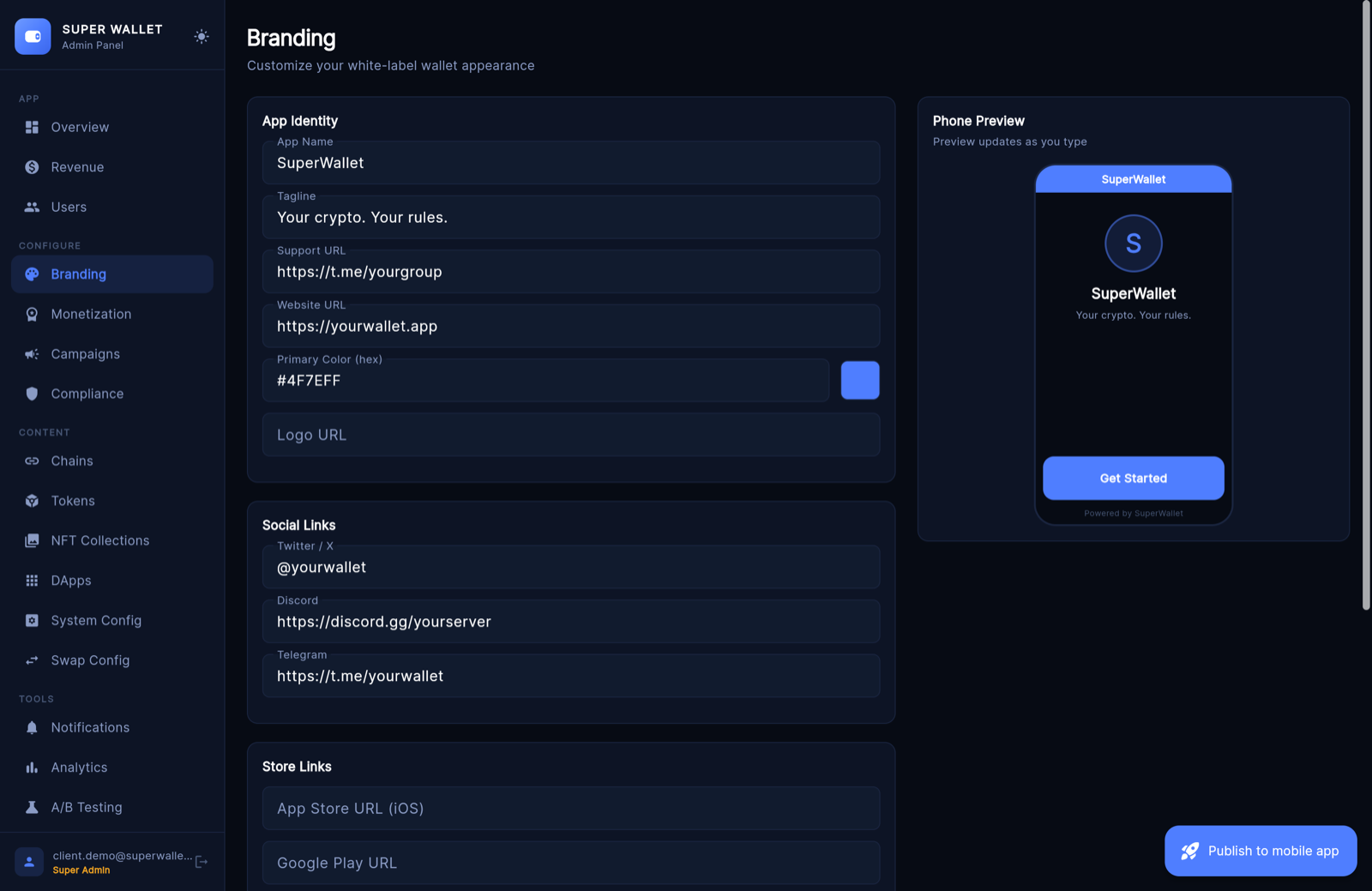
Everything users see of your brand inside the app, with a live phone preview while you type: app name, tagline, primary colour (hex), logo URL, support and website URLs, X / Discord / Telegram links, App Store and Google Play links, About text, swap disclaimer and the Show "Powered by SuperWallet" switch.
Click Save Branding, then publish. The name under the icon, the icon and the splash screen are compiled into the app; see Rebranding.
04Monetization
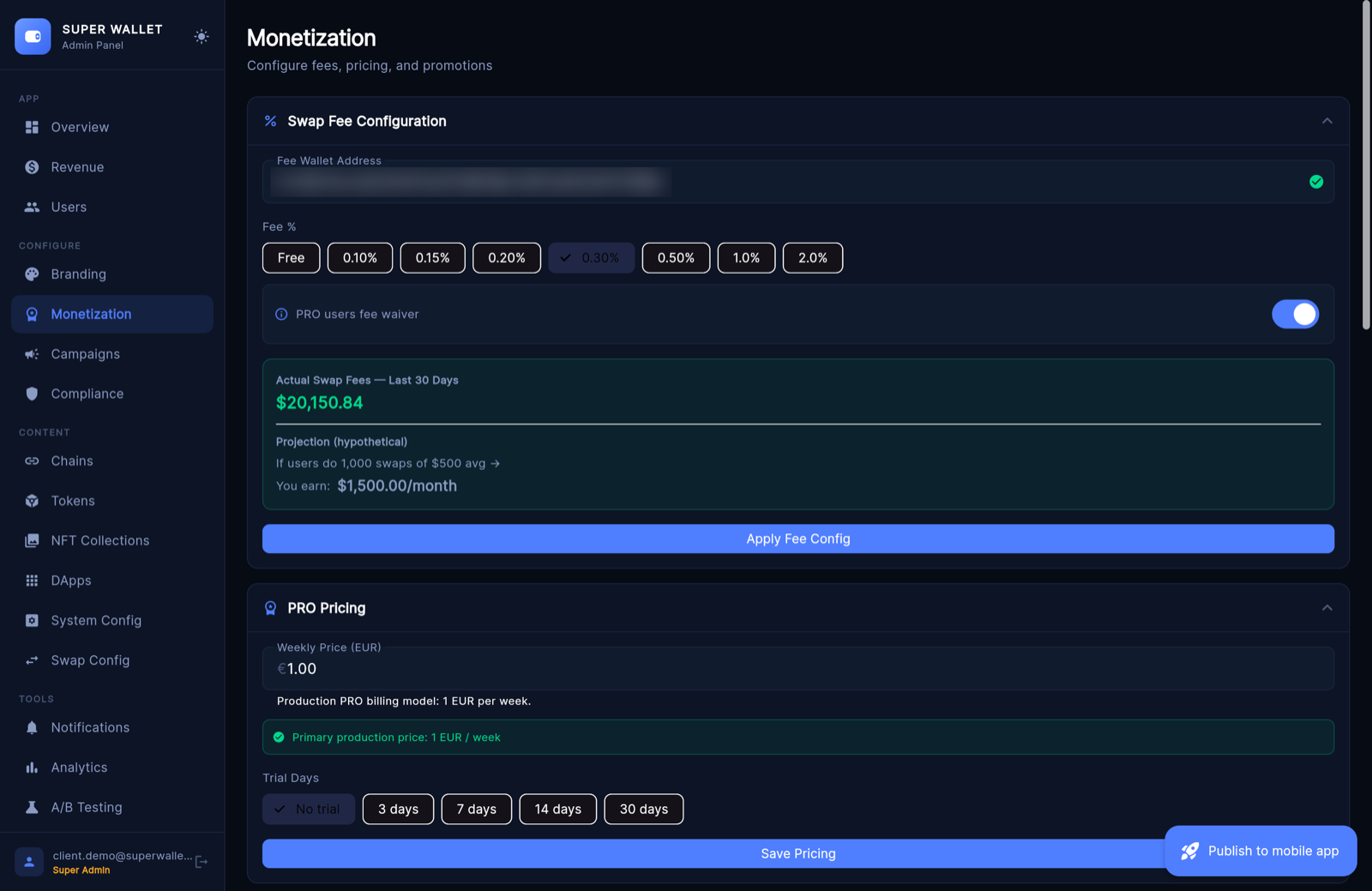
- Swap Fee Configuration: fee wallet (an EVM address), a preset — Free, 0.10, 0.15, 0.20, 0.30, 0.50, 1.0 or 2.0 % — and the PRO fee waiver. Apply Fee Config. The panel refuses a fee without a valid wallet.
- PRO Pricing: weekly price in EUR and trial days (none, 3, 7, 14, 30). Save Pricing.
- Feature Availability: switch PRO features on or off for everyone.
- Promo Codes: codes for free months or a discount, with a usage limit.
- Referral Program: on/off, commission %, bonus days (read the note in Earnings).
- On-Ramp Configuration: Transak on/off, key, Staging or Production, default currency.
The full walkthrough, including where the fee applies, is on Setting up earnings.
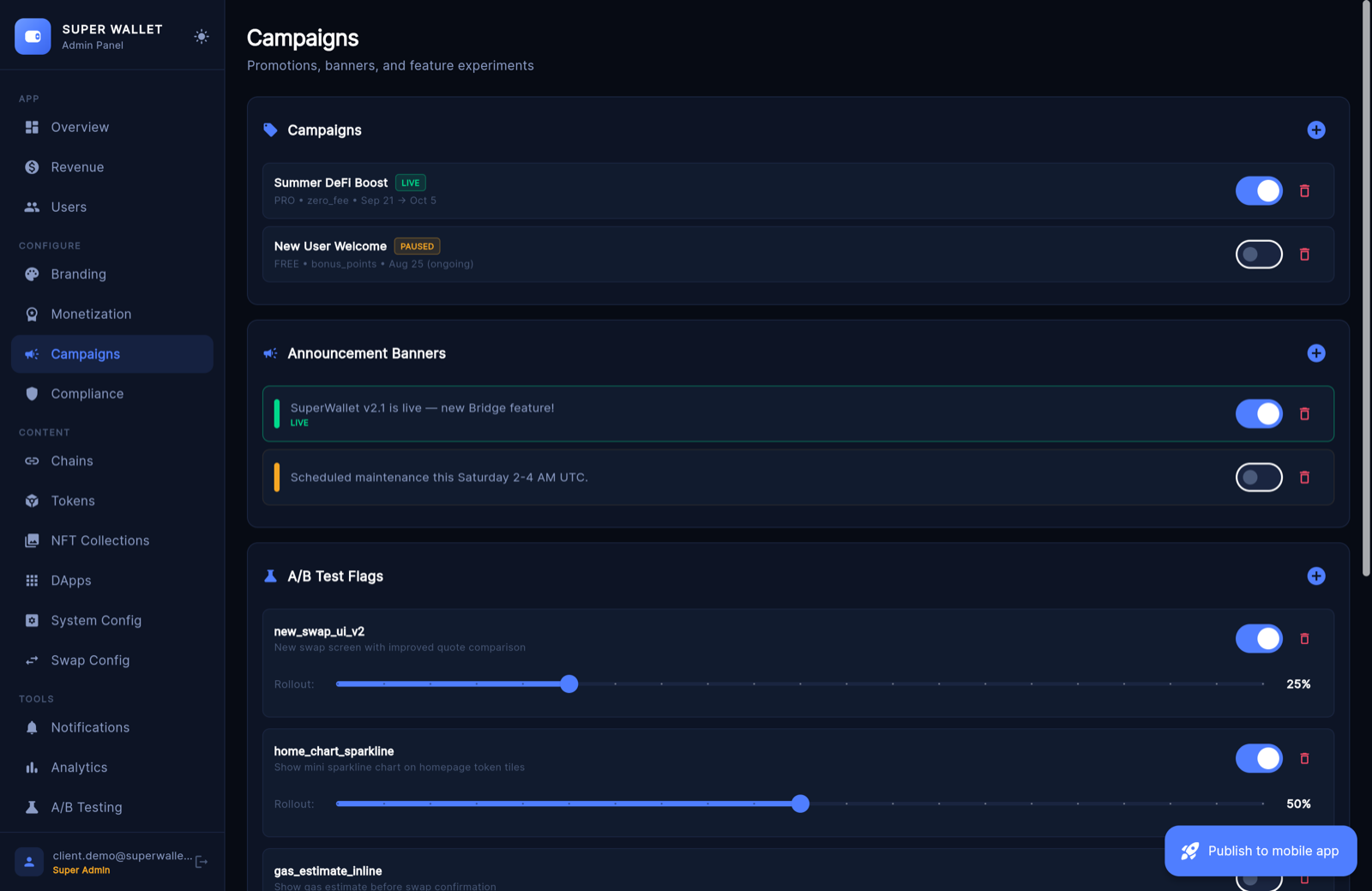
05Campaigns
- New Campaign: name, type (Zero Fee, PRO Trial, Bonus Points, Promo Banner), fee override in bps (0 = free), audience (All, PRO, Free), start and optional end date. Status shows Scheduled, Live, Paused or Ended.
- Announcement Banners: text, optional link and style (Info, Warning, Success, Danger).
- A/B test for announcements: show variant A or B to a share of users.
06Compliance
- AML & KYC: users with 30-day transaction count, largest transaction and a risk level. CSV export.
- Suspicious Txs: transactions over $10,000 in the last 30 days.
- SAR: record a suspicious-activity report for a user; saved to
sar_reportsfor your review.
In this version the Controls sub-tab (blocked addresses, limits, geo restrictions, risk settings) confirms a save but does not store the values, and the app does not enforce them. These tools help you watch activity; they do not make a business compliant. Ask a lawyer which rules apply to you.
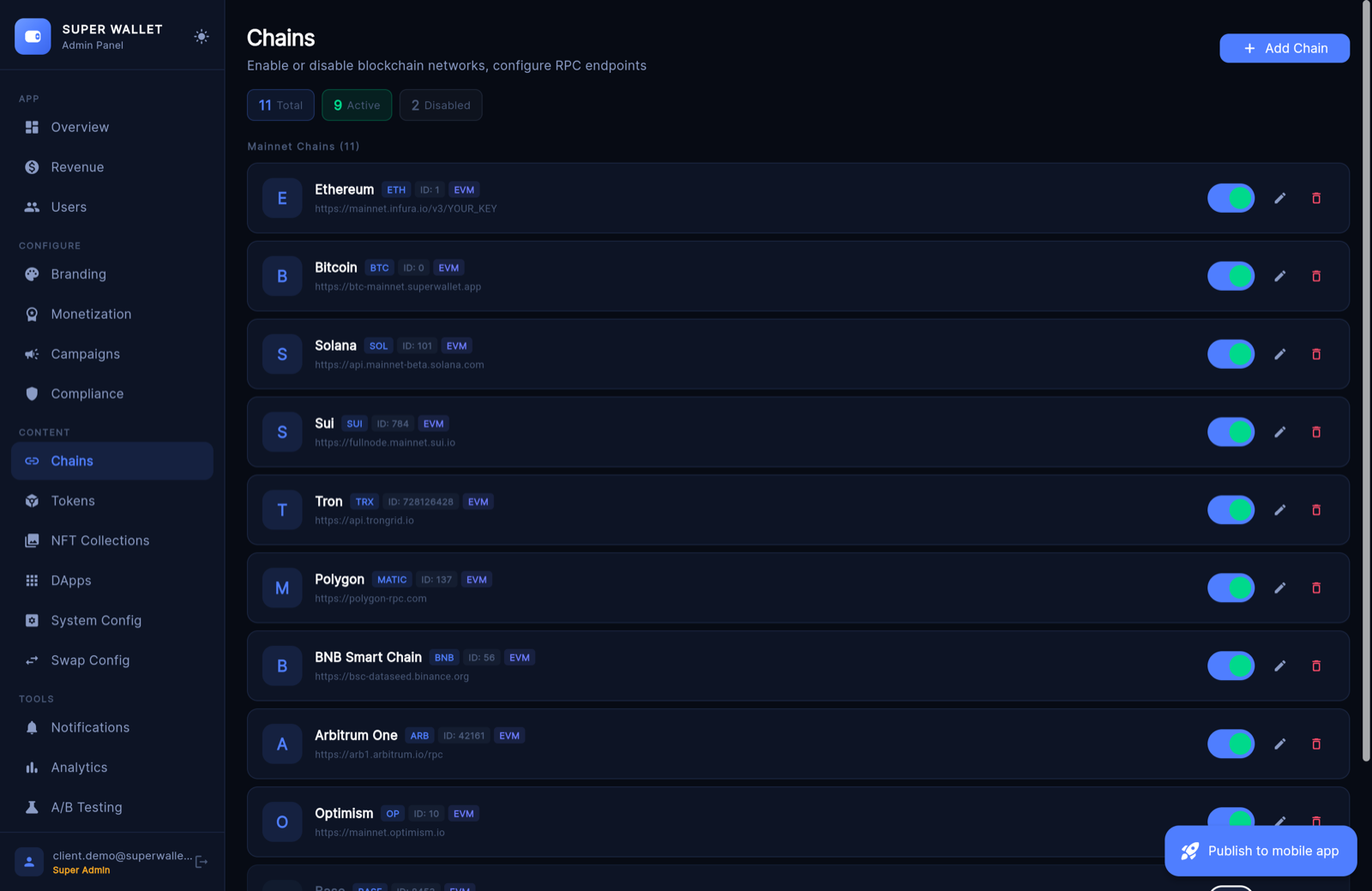
07Chains
The networks your app offers. Add Chain fields: name, symbol, chain ID (unique — look it up on chainlist.org), icon URL, RPC URL (tested when you save), explorer URL, chain family, EIP-1559 gas, enabled, testnet, and optionally a Uniswap V2-compatible router plus the wrapped native token address.
Ships with 25+ EVM networks plus Bitcoin, Solana, Tron and Sui. 0x and 1inch quote only on chains they support; on other EVM chains the app swaps through the router you enter here, or one it finds.
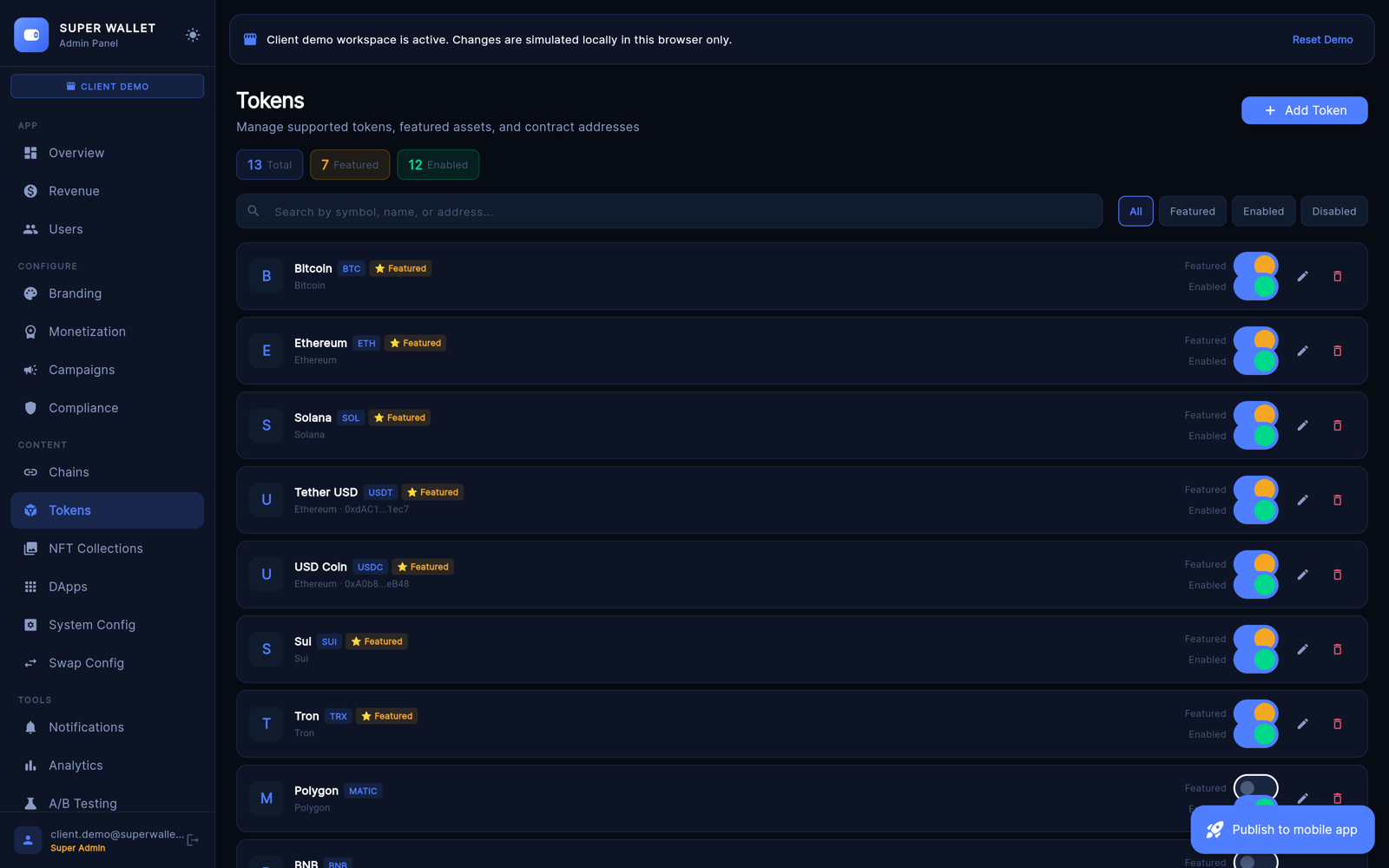
08Tokens, NFT Collections, DApps
Tokens: name, symbol, chain ID, decimals (must match the contract), contract address (empty for native coins; the mint address on Solana), CoinGecko ID for prices, icon, Featured, Enabled, Default home. Copy contract addresses from the project's official site or an explorer, never from chats.
NFT Collections: featured collections for the NFT gallery — contract, chain, name, images, Featured and Verified badges; drag to reorder.
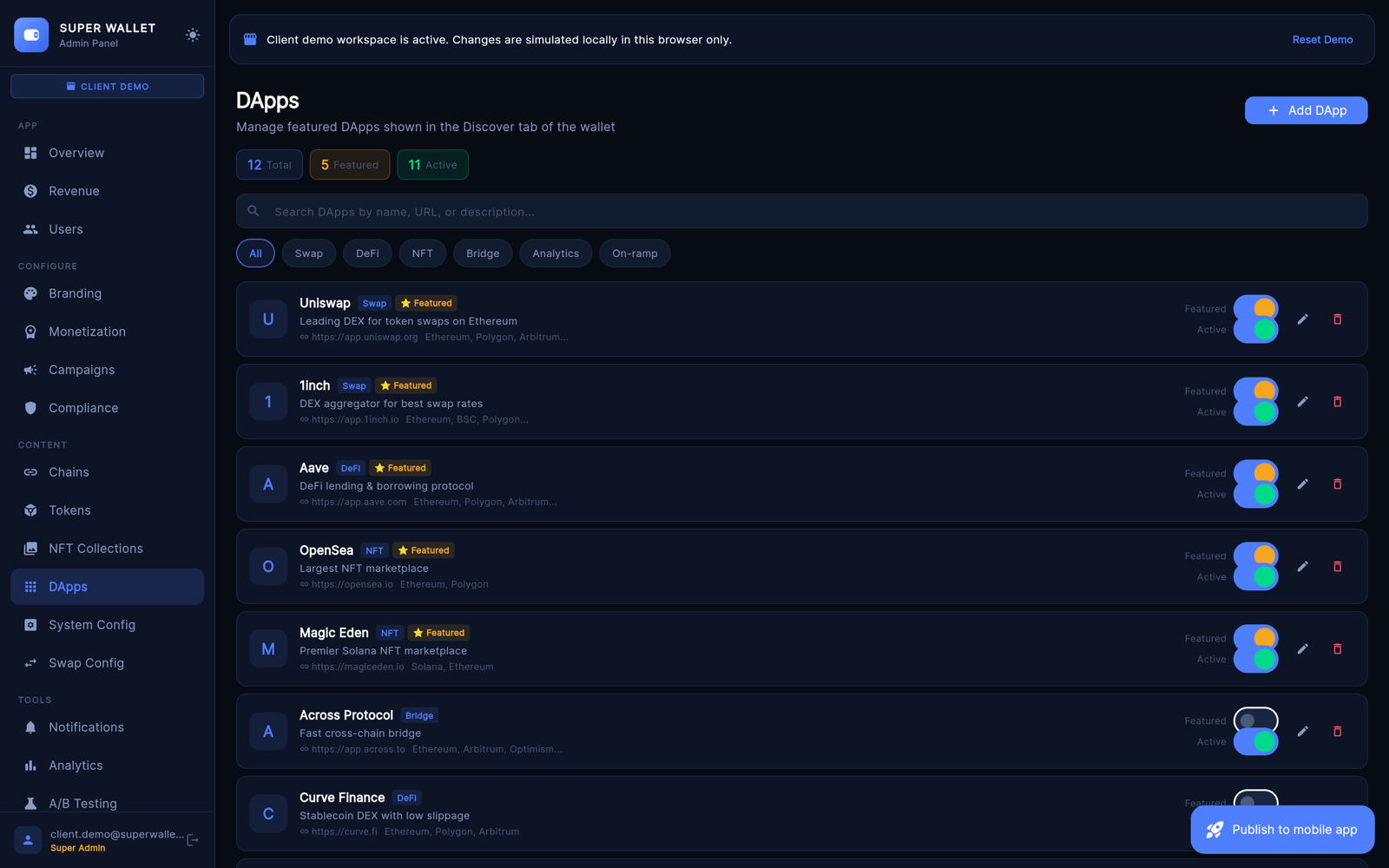
DApps: the Discover list — name, category, URL, icon, description, supported chains, featured, enabled.
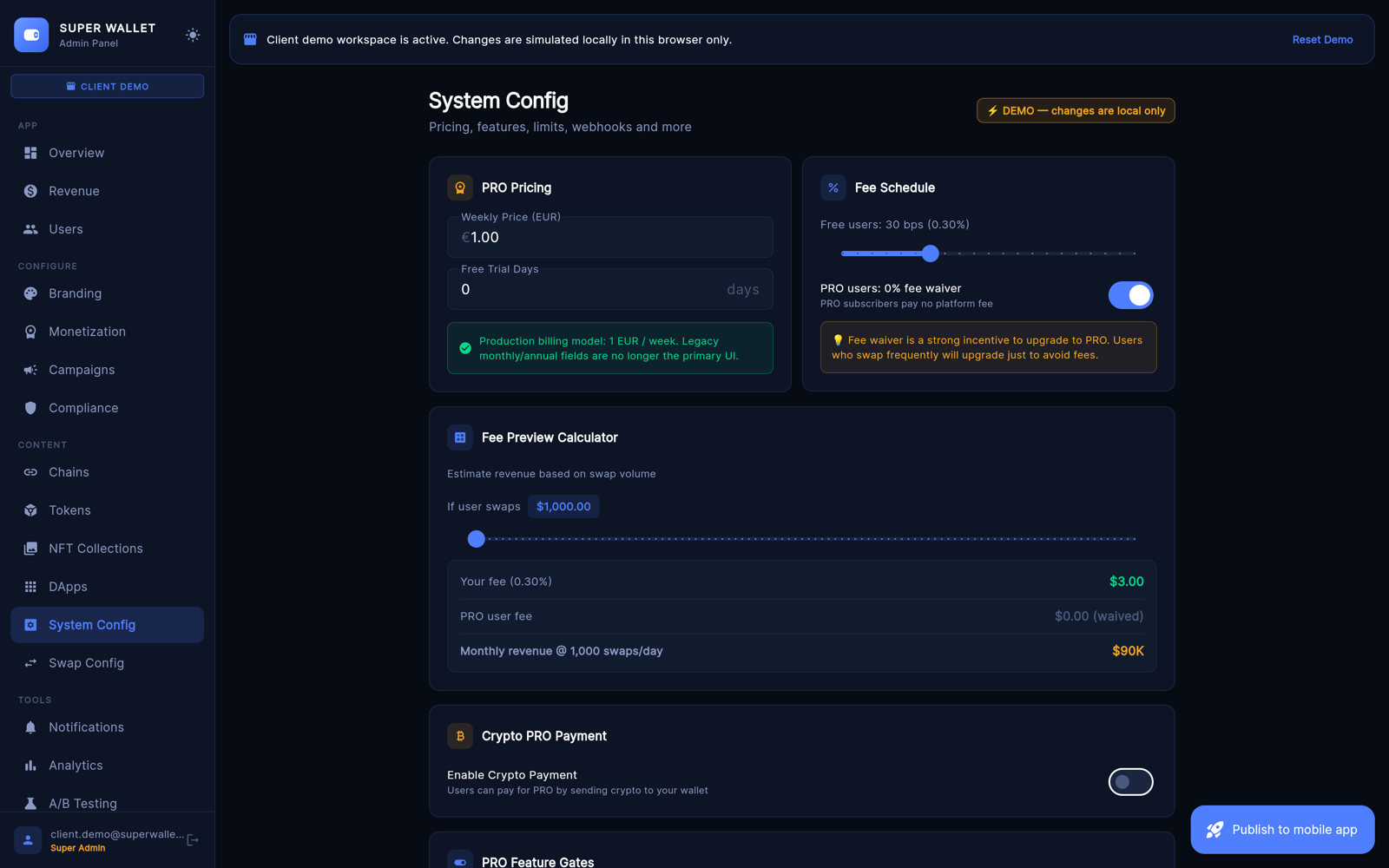
09System Config
- PRO Pricing and Fee Schedule (slider 0–100 bps for fine-tuning) with a fee calculator.
- Crypto PRO Payment: let users pay PRO in ETH, USDT or USDC to your wallet — address, token, chain ID, amount in EUR, confirmations, validity.
- Rate Limits: swaps and bridges per day for free users, wallet counts.
- Webhooks: the included functions call only the "new PRO subscriber" URL (signed with
WEBHOOK_SECRET); the other two URLs are stored for your own integrations. - Support & Legal: support email, terms and privacy URLs. Stores need a live privacy policy.
- Remote API Keys: Etherscan, 0x, 1inch, Helius, Moralis, Alchemy, Reown — rotate a key without a new build. Blank keeps the current value.
- Maintenance Window: scheduled downtime (UTC) with a message.
Click Save System Config at the bottom.
10Swap Config
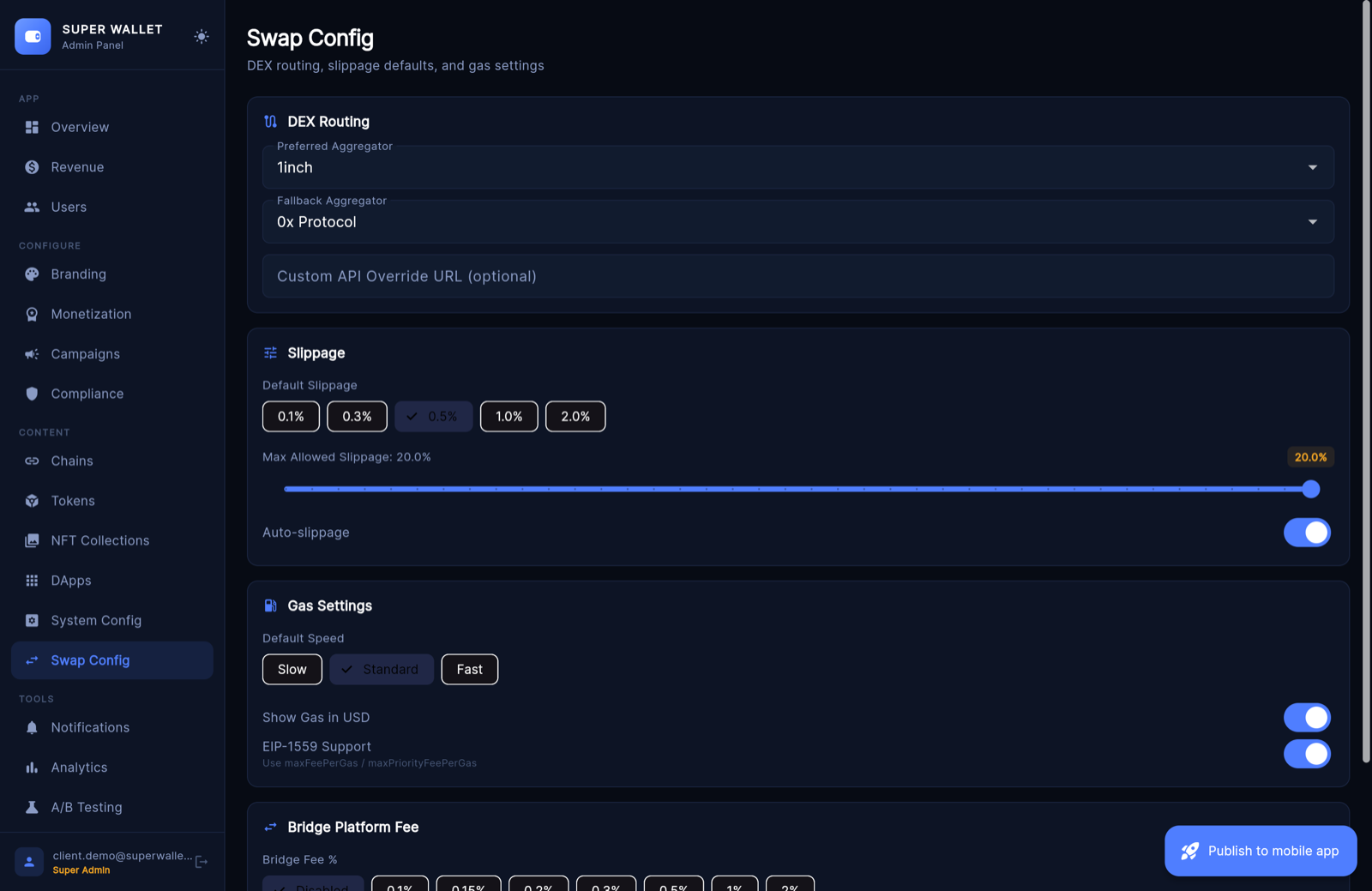
- DEX Routing: preferred and fallback aggregator and an optional custom API URL. Live quotes come from 0x and 1inch on EVM chains and Jupiter on Solana.
- Slippage: default, maximum and auto-slippage.
- Gas: default speed, gas in USD, EIP-1559.
- Bridge Platform Fee: Disabled, 0.1, 0.15, 0.2, 0.3, 0.5, 1 or 2 %. Read the note in Earnings → Bridge fee.
11Notifications
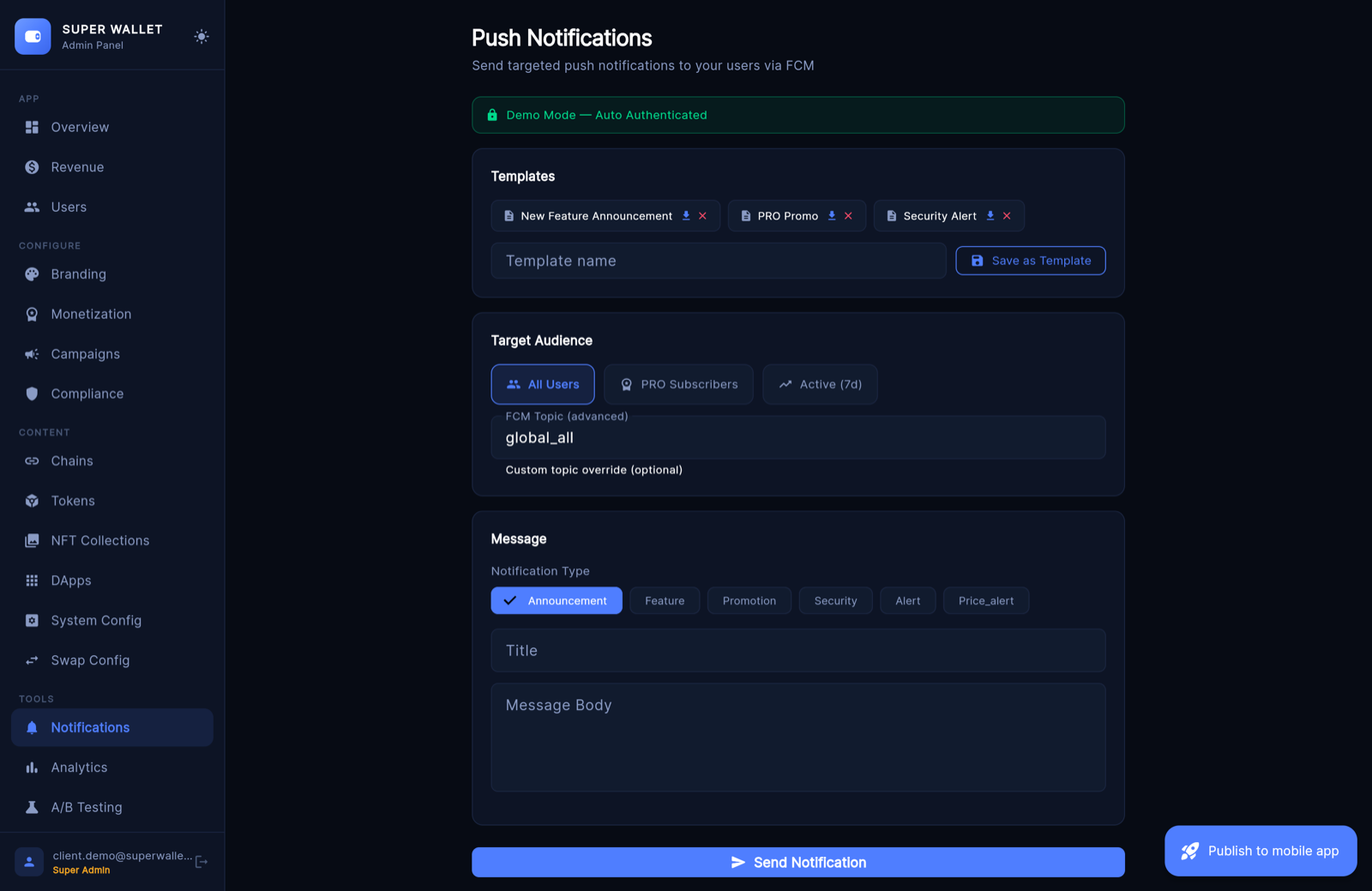
Push through Firebase Cloud Messaging. Pick the audience (All, PRO, Active 7 days or a custom topic), write the title and message, preview, send. Save frequent messages as templates. Schedule Push Campaign queues one for later; the queue is checked every 5 minutes.
12Analytics, A/B Testing, Remote Config, Audit Log
Analytics: active users, PRO conversion, fee revenue, a funnel from install to first swap to PRO. Estimated values are marked as estimates.
A/B Testing: feature flags with a stable user bucket (0–99). A flag at 20 % is on for buckets 0–19.
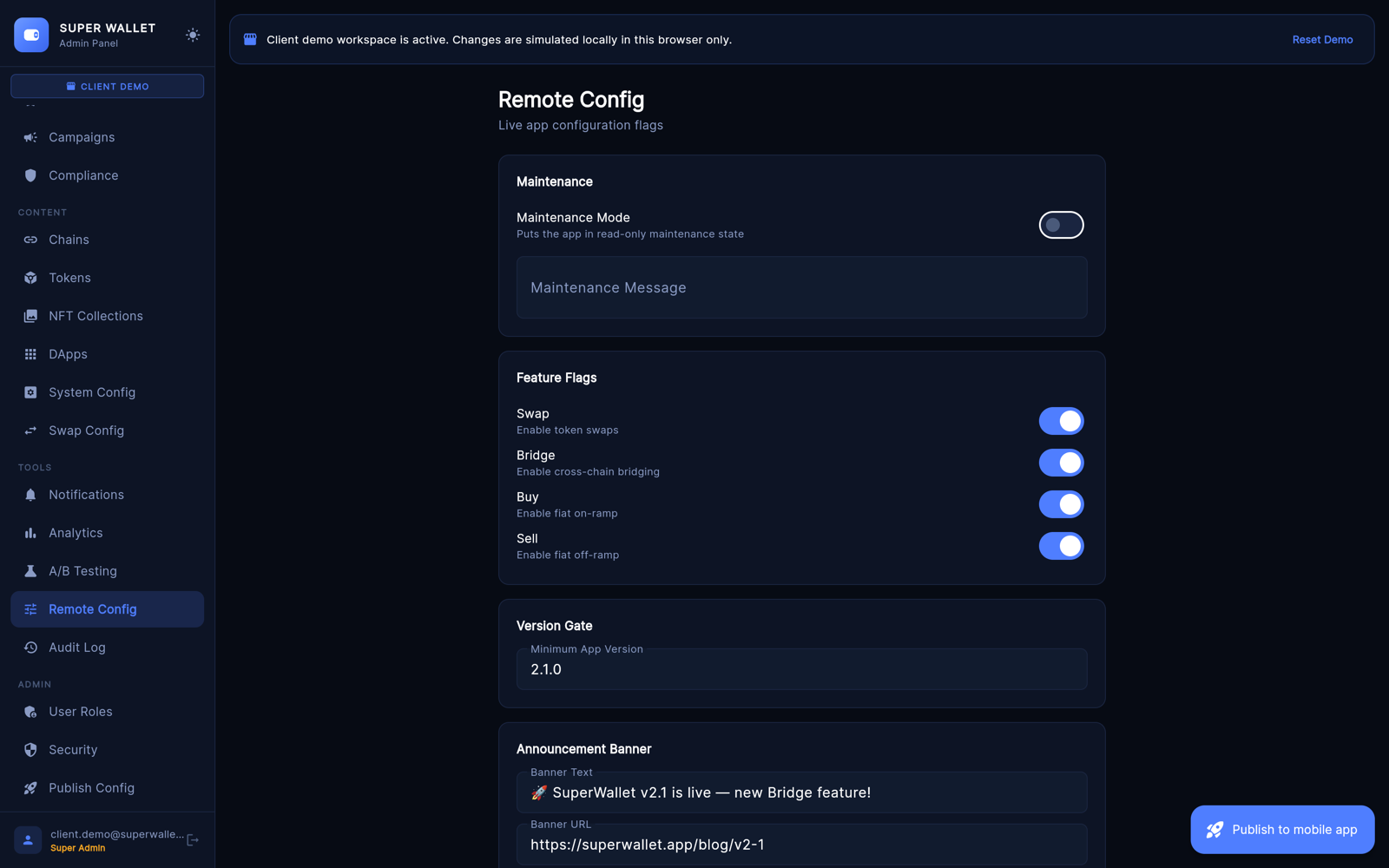
Remote Config: the quick switchboard — maintenance mode, feature switches, minimum app version, announcement banner, fee. Export to App downloads a full snapshot.
Audit Log: who changed what, with old and new values. Check it after every fee-wallet change.
13User Roles and Security
User Roles (super admins): Invite Admin with an email and a role. The new admin sets a password through Forgot password? on the sign-in screen. Change or remove roles; disable the authenticator for someone who lost their phone.
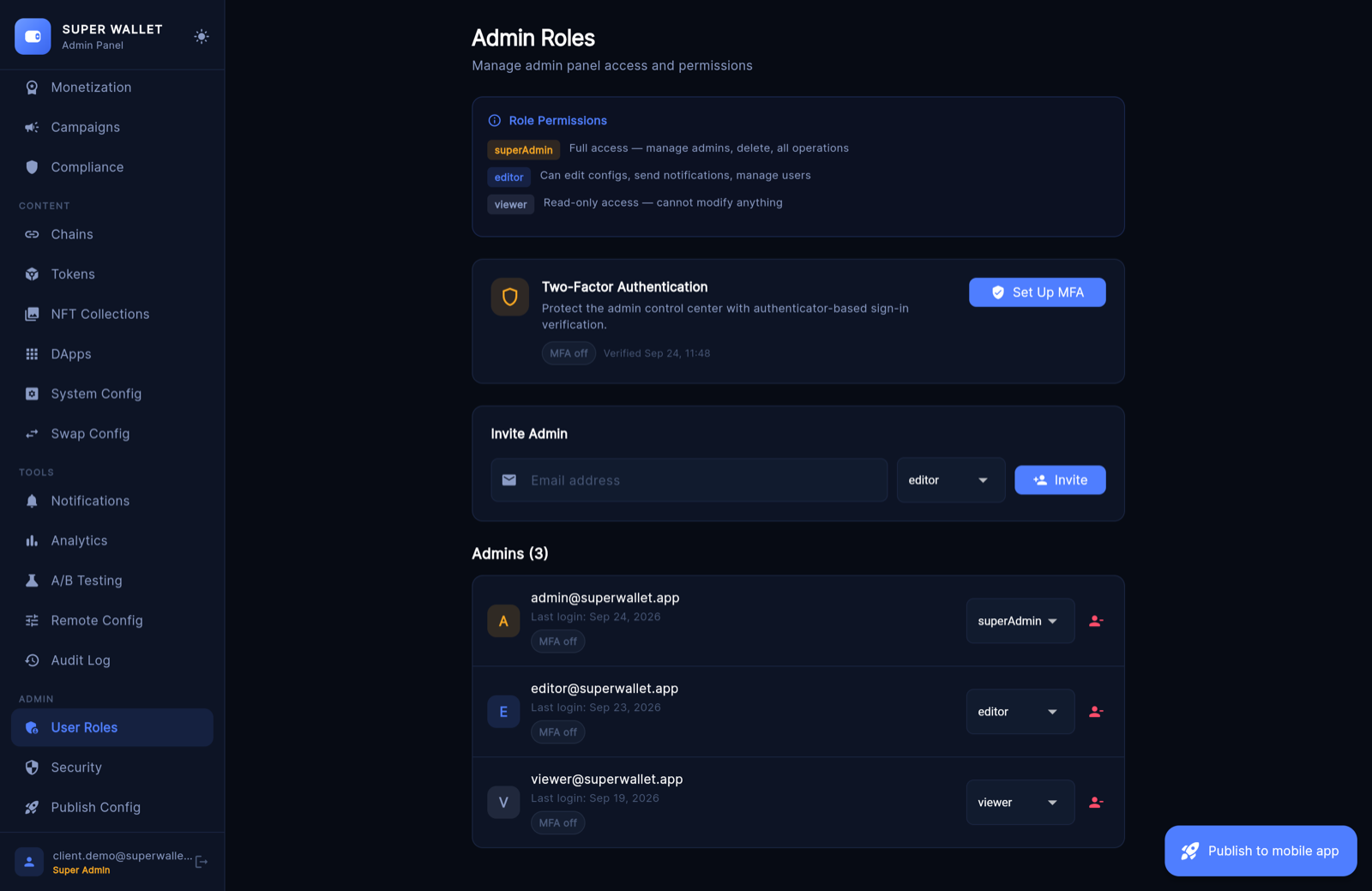
Turn on the authenticator
- Set Up MFAThe panel shows a setup key.
- Add it to your authenticator appGoogle Authenticator, 1Password, Authy… → enter a setup key manually. The account name comes from
APP_NAME. - Store the backup codes offlineEach works once if you lose your phone.
- Verify & EnableType the current 6-digit code.
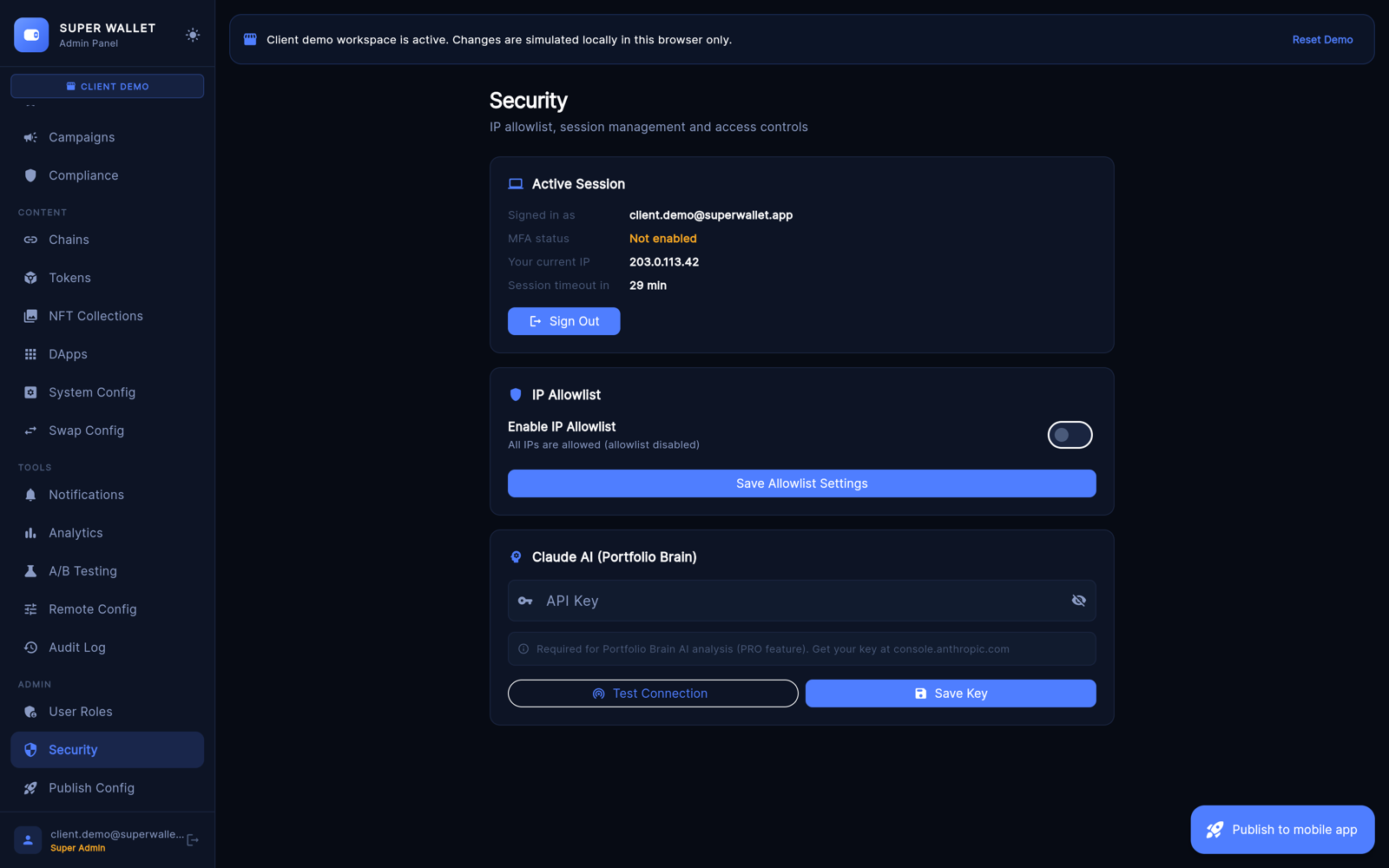
Security page: your session, IP Allowlist (add your own IP first — the page warns you before you lock yourself out) and the Portfolio Brain key test.
14Publish Config
- Your config URL: the address you put in
app_config.dart. - config.json: copy or download the current file.
- White-label package: a bundle with config, branding and a README, handy when you set up an app for a client.
- Save Version Snapshot and Version history with Rollback. Take a snapshot before big changes.
- Then press Publish to mobile app.